
Connect a working directory
Open the Computers page, choose the Computer you want to use, then connect the working directory where your local Agent stores project work. Choose the directory that matches the project or repository you want to sync. OneWorld uses this connection to find local Agent sessions that belong to that work area.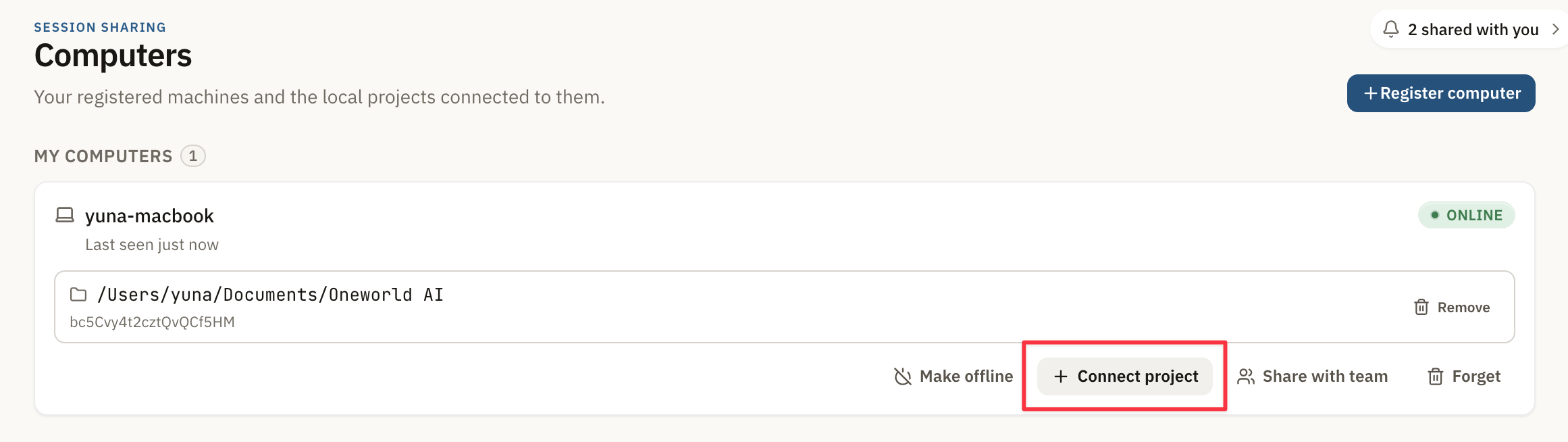
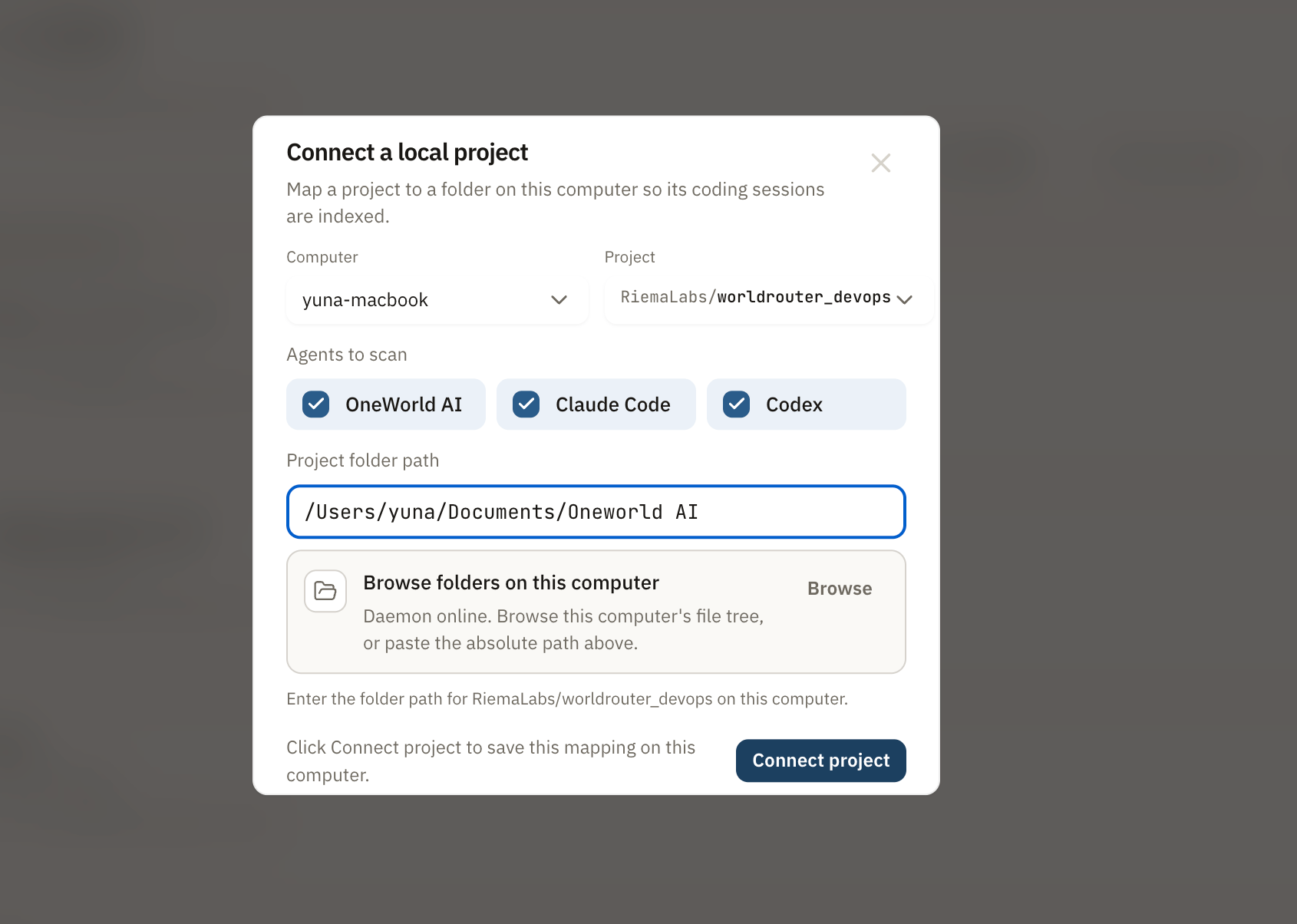
Sync local sessions to OneWorld
After the working directory is connected, OneWorld can bring the local sessions from that directory into the OneWorld platform. Use this when you have already started work in a local coding Agent and want the session to become visible in OneWorld for review, collaboration, or handoff.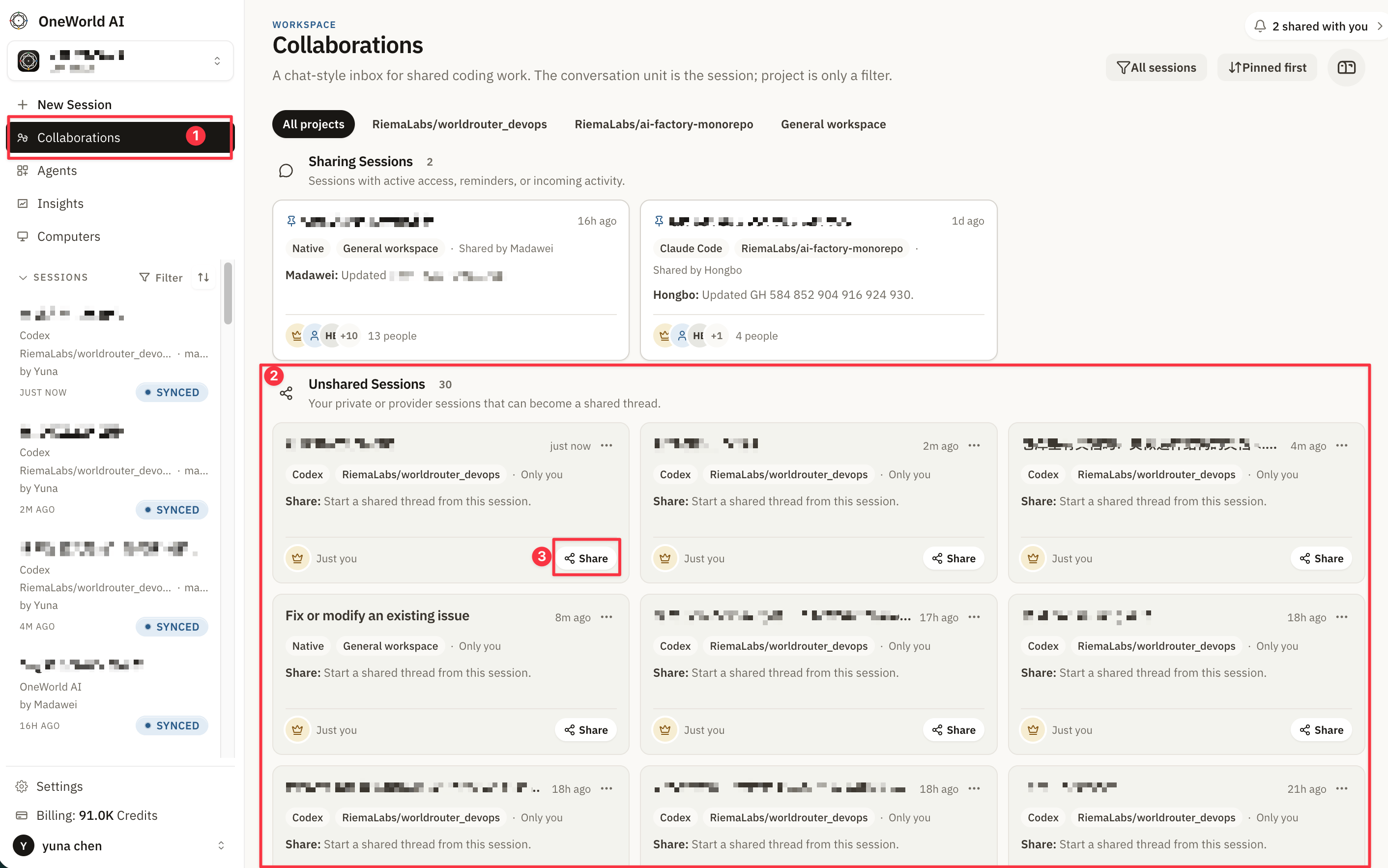
What gets synced
The synced session keeps the useful work context from your local Agent so your team can open it from OneWorld and continue from the same thread.When to use this
Use local session sync when:- you started work locally before creating a OneWorld Cloud Session
- you want teammates to review local Agent progress in OneWorld
- you want to hand off unfinished local work to another teammate
- you want OneWorld to become the shared place for ongoing collaboration