Using OneWorld AI
Setup's behind you, so this is the day to day: start a session, share it with your team, pick it up in your terminal, and bring in work a local agent already did.
1. Start a session
Click + New Session at the top of the left sidebar, pick Claude Code or Codex, and choose a model from the list that agent offers.
Set your permissions before you send:
- Ask for approval checks with you before editing external files or using the internet.
- Approve for me only checks on actions it detects as potentially unsafe.
- Full access has unrestricted access to the internet and any file on your computer.
Type the work in the box and send it. The session runs on the computer shown under Run in local computer.
Permissions and Ask are different controls. Permissions decide how far an agent can reach into your machine and the internet, while Ask keeps it read-only in the bound repository.
2. Share it with your team
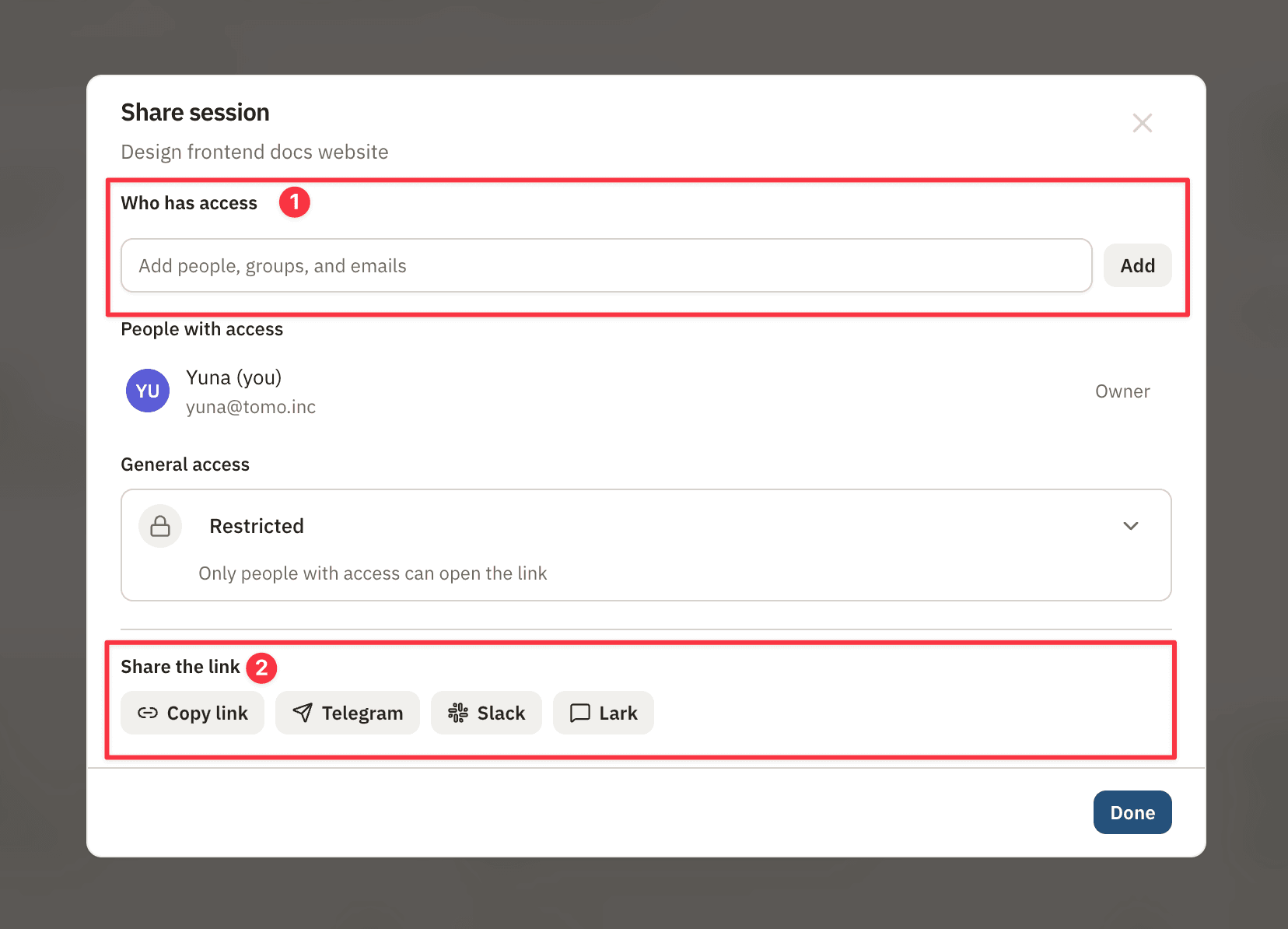
With the session open, click Share at the top right and add the colleagues who need it.
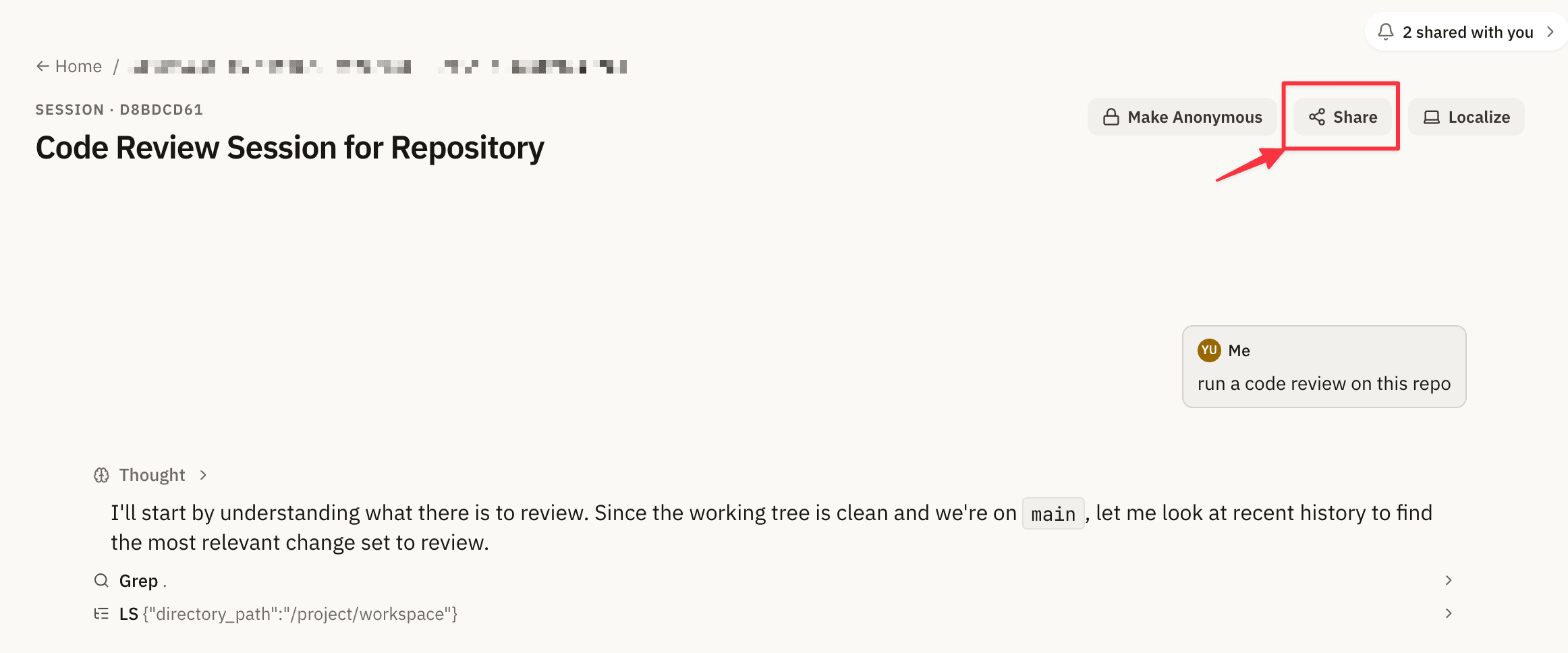
Editor access lets someone work in the session, and viewer access lets them read it. The dialog shows everyone who has the session and what each person can do.
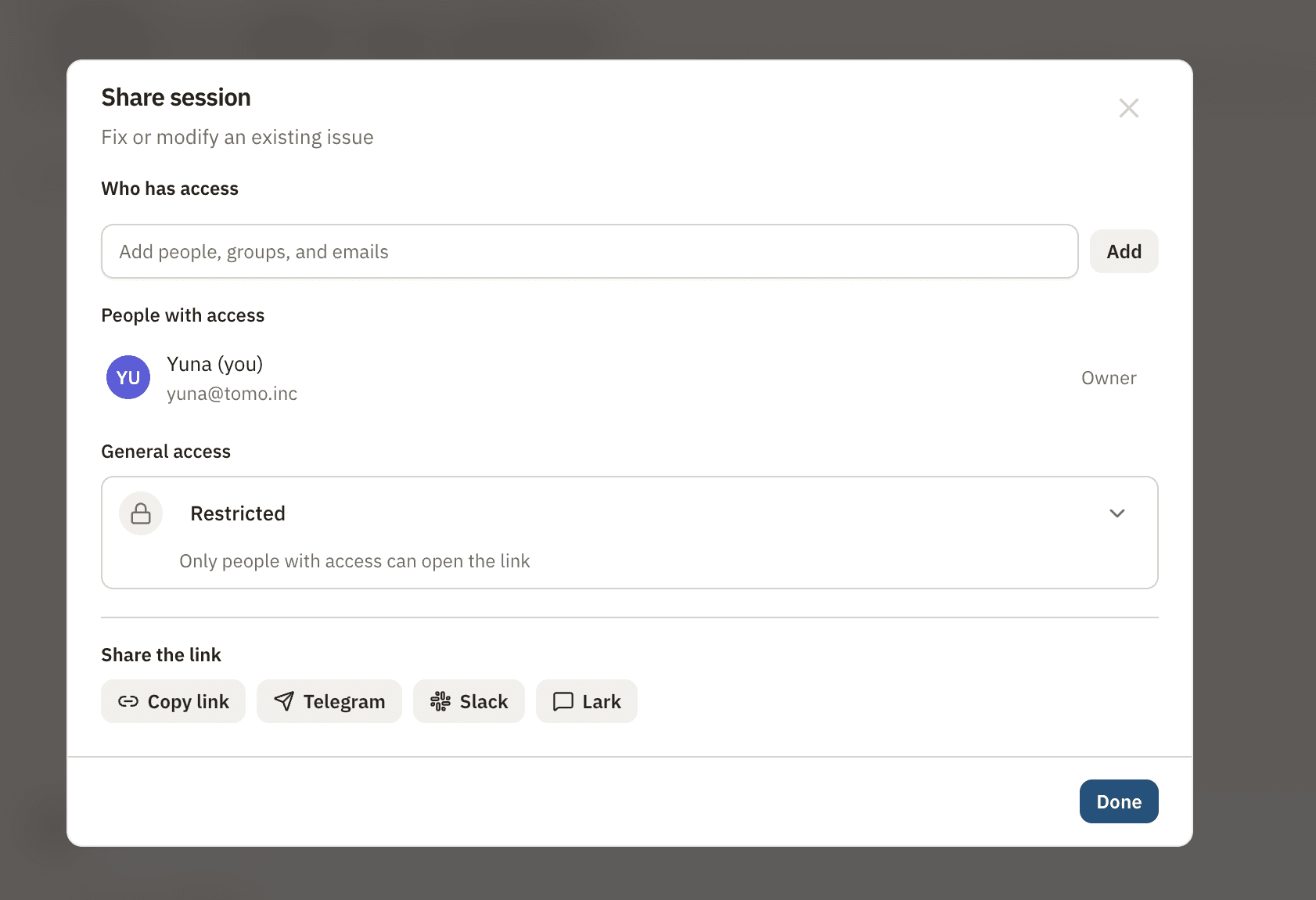
You stay the owner of a session you created, and that doesn't change. Anyone you add opens the session with the work already in it, at whatever point you left off.
3. Continue it in your terminal
The computer you want has to be registered first, and Quickstart covers that if it isn't on your Computers page yet.
Open the session on that computer, then open the Localize menu and choose Claude Code CLI or Codex CLI.
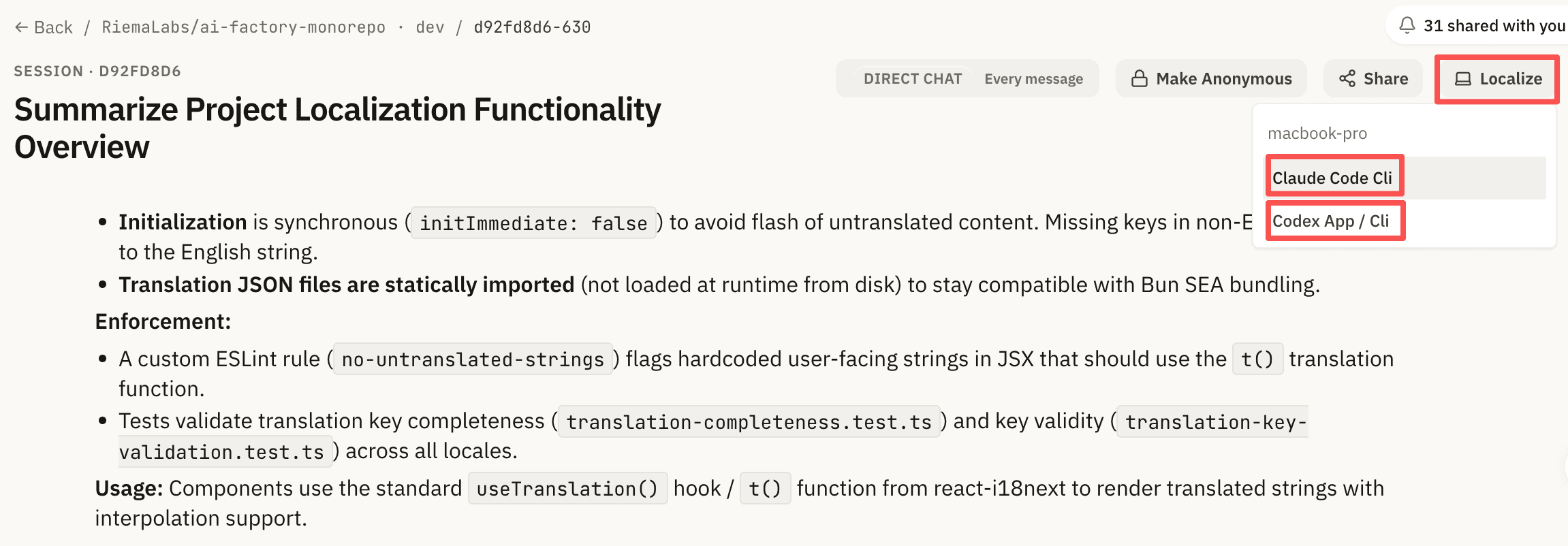
With Claude Code CLI, carry on in the Claude Code TUI from the ~/oneworld-claude/ working directory. With Codex CLI, open Codex, import the ~/oneworld-codex working directory, then restart Codex so the synced session appears.
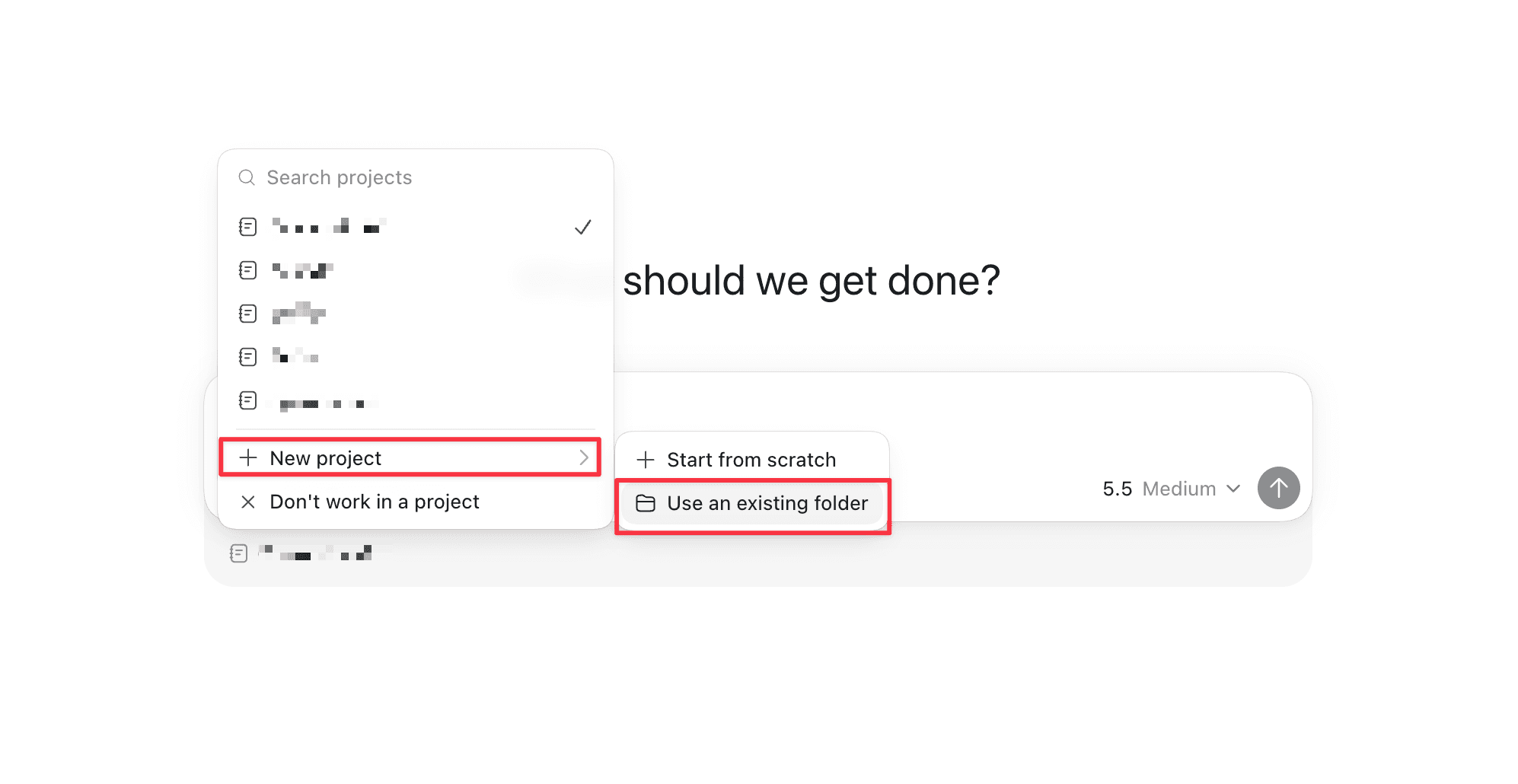
A localized session carries the model response text. Codex localize needs an official subscription account, not API access.
4. Bring in work from a local agent
A session that ran only in a local agent stays on that machine until you Share it. Once you do, it sits in OneWorld AI alongside the sessions that started there.
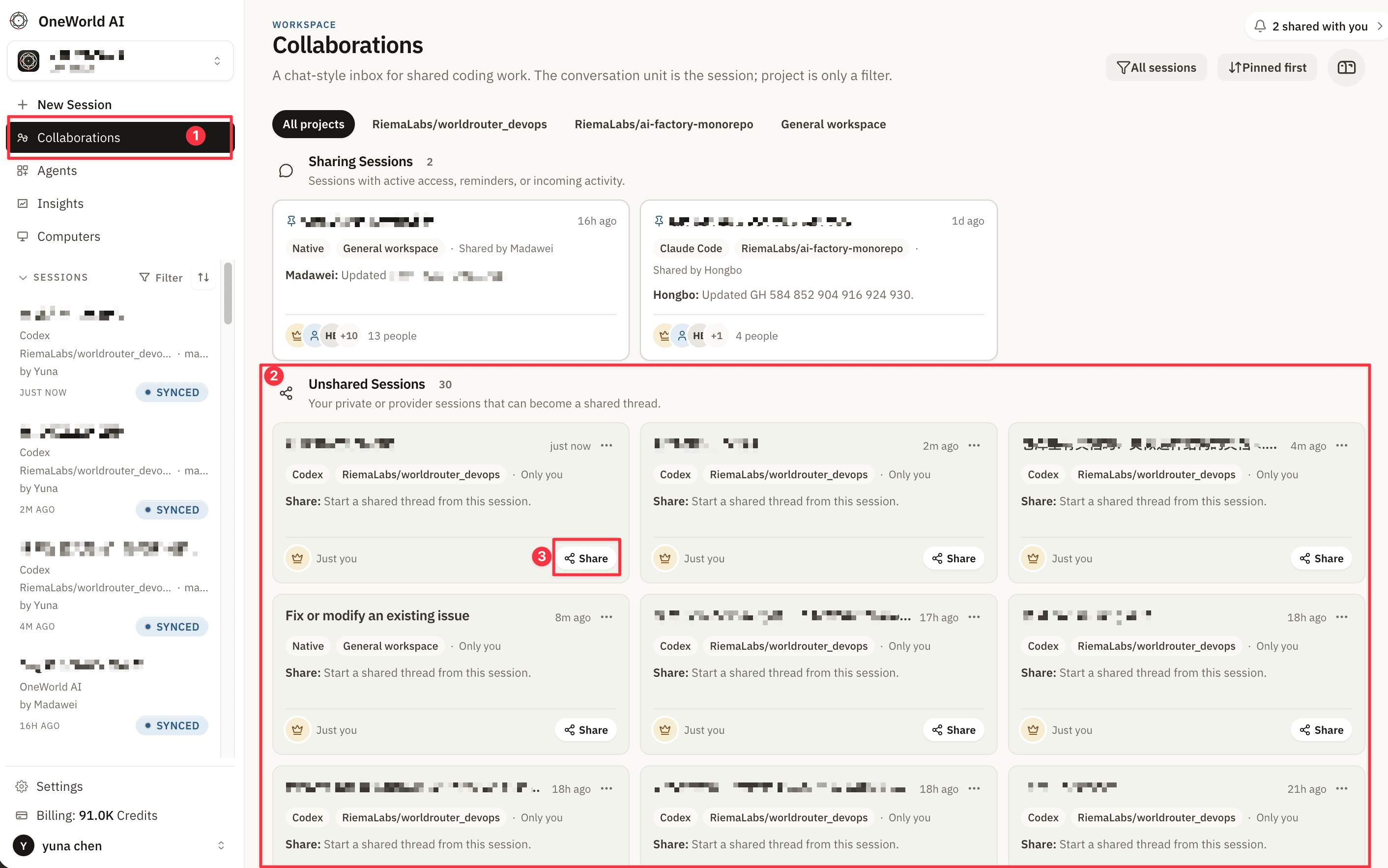
Sharing a session you brought in from a local agent works the way sharing a cloud session does: add the colleagues who need it, each with editor or viewer access.
What's next
Integrations covers connecting the tools your team already works in, which is what lets an agent work against your real code. Help is where to go when a session won't run.